TECHNICAL ARTIST

One pipeline. Seven weeks. Zero coding experience required. Build an end-to-end production pipeline from Maya to Unreal Engine that automates real-world game development workflows.
Evonne Zhu, a Technical Artist who worked on GTA VI, guides you through it. In 7 weeks you'll build a procedural city generator, a working Maya-to-Unreal pipeline, and a portfolio piece to show it.
One pipeline, from Maya to Unreal
Maya
Write Python that builds a city from your rules.
Your exporter
A tool you write sends the city out of Maya.
Unreal Engine
Your city, running in the engine.
You finish with an animated city and a tool breakdown for your portfolio.
This course is for you if...
YOU'RE A 3D ARTIST WHO WANTS THE TECHNICAL SIDE
You model, texture or build environments, and you keep seeing "Python" in tech art job posts. You want to build your own tools, but you don't know where to start.
YOU DON'T KNOW WHERE TO START WITH CODE
You've opened a tutorial or two and stalled. This course starts from zero, inside Maya, so every line you write moves something you can see.
YOU WANT A TECH ART PIECE IN YOUR PORTFOLIO
You have art in your portfolio but nothing that shows you can build a tool. You'll finish with a working generator, the GitHub repo behind it and a city in Unreal to show for it.
Where Vertex grads work






From career-changer to working in the industry
Real outcomes from Vertex School students who started with little to no industry experience.
The fact that we get invaluable feedback from capable mentors is absolutely essential.
See Nicolas's work →
I got a job just two months after completing Vertex School.
See Julia's work →
Zero 3D experience before starting. Trey found Vertex through Google while looking for a professional change, and never looked back.
Read the story →
A hobby in 3D art grew into a calling. The leap from architecture to games paid off with work on one of the most recognized survival games in the world.
Read the story →
Want to move into tech art but don't know where to start?
You bring the art and your Maya skills. Evonne Zhu, a software engineer turned technical artist, shows you how to think like an engineer, so you can build the tools your own work needs.
Build as you learn
Each week adds a new piece to your procedural city pipeline: your first Python script, automated validation, a custom tool interface, and more. You'll apply each concept by building something tangible. You'll code inside Maya, not a blank terminal, and pick up testing, version control, APIs, and GUI development along the way.
Learn with expert guidance
Live online sessions with Evonne twice a week. Between classes the Vertex team answers your Maya, coding and Discord questions.
Create portfolio-ready work
Graduate with a procedural city generator built from scratch, a city running in Unreal Engine, and a technical breakdown showcasing how you built it—all ready to share in your portfolio.
You build one new thing every week
- Week 1Your first Python script
- Week 2Your first city draft
- Week 3A Discord bot
- Week 4A custom exporter
- Week 5A tool window with buttons and sliders
- Week 6A day-to-night cycle
- Week 7An animated city showcase & tool breakdown
Evonne Zhuin
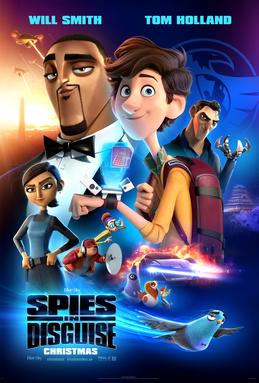
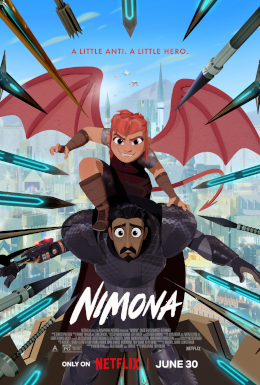
Evonne combined her background in computer science with her love of art to pursue a career at the intersection of art and technology. She began as a Software Engineer at Blue Sky Studios, where she worked on Spies in Disguise and Nimona. She then moved into game development as a Technical Artist at Rockstar Games, where she most recently helped build the infrastructure supporting character faces in Grand Theft Auto VI.
Throughout her career, Evonne has built custom tools and production pipelines that bridge the gap between artists and engineers, streamline workflows, and enable teams across disciplines to work together more effectively.
In this course, Evonne breaks down engineering concepts into practical, approachable lessons, helping artists develop the confidence to think critically, solve problems, and build the tools they need to bring their ideas to life.
Course curriculum
7 weeks, two live sessions a week, 4–6 pm Pacific. Class days: Tuesdays and Thursdays.
Week 1Tue & Thu, Jan 26 & 28 · 4–6 pm PTYour first scripts in Maya
Turn what you do by hand in Maya into Python, save it to GitHub, and learn how to use AI properly.
Week 2Tue & Thu, Feb 2 & 4 · 4–6 pm PTPlan the city generator
Break the city layout into parts, organize your assets, and define procedural rules.
Week 3Tue & Thu, Feb 9 & 11 · 4–6 pm PTMake it reliable
Explore APIs, unit testing, and automated validation while building a Discord bot to report results.
Week 4Tue & Thu, Feb 16 & 18 · 4–6 pm PTMaya to Unreal
Connect Maya and Unreal Engine by automating asset exports, imports, and GitHub submissions.
Week 5Tue & Thu, Feb 23 & 25 · 4–6 pm PTFrom script to tool
Apply UI/UX principles to turn your scripts into a user-friendly tool with PySide.
Week 6Tue & Thu, Mar 2 & 4 · 4–6 pm PTBring the city to life
Use code to animate your city with a day-to-night cycle.
Week 7Tue & Thu, Mar 9 & 11 · 4–6 pm PTPortfolio review
Show your tool in a breakdown and get a portfolio review with Evonne.
APPLY
Build your first tech art tool this winter. Class starts January 26, 2027.